ITEMIQ / RESELLER INVENTORY SOFTWARE
Reseller inventory software for knowing what each item is and where it is.
One-of-one resale inventory breaks spreadsheets in predictable ways: two similar bags share a description, a label falls off, an item moves to the packing table and the sheet still says Bin A. ItemIQ keeps each item’s SKU, photos, details, location and sold status in one record that your team can search from an iPhone or a browser.
What ItemIQ keeps for each item
The item record
SKU, photos, name, brand, category, condition, notes, listing title and description, US size, quantity, weight, package size, storage location, shipping price, selling price and claimed-by, all editable on the web item page. The AI-generated details from Ask IIQ sit alongside them.
Photos
Captured in the iPhone app with the SKU, so the photos are attached to the right item from the start. Background removal uses 1 credit per image.
SKU lookup
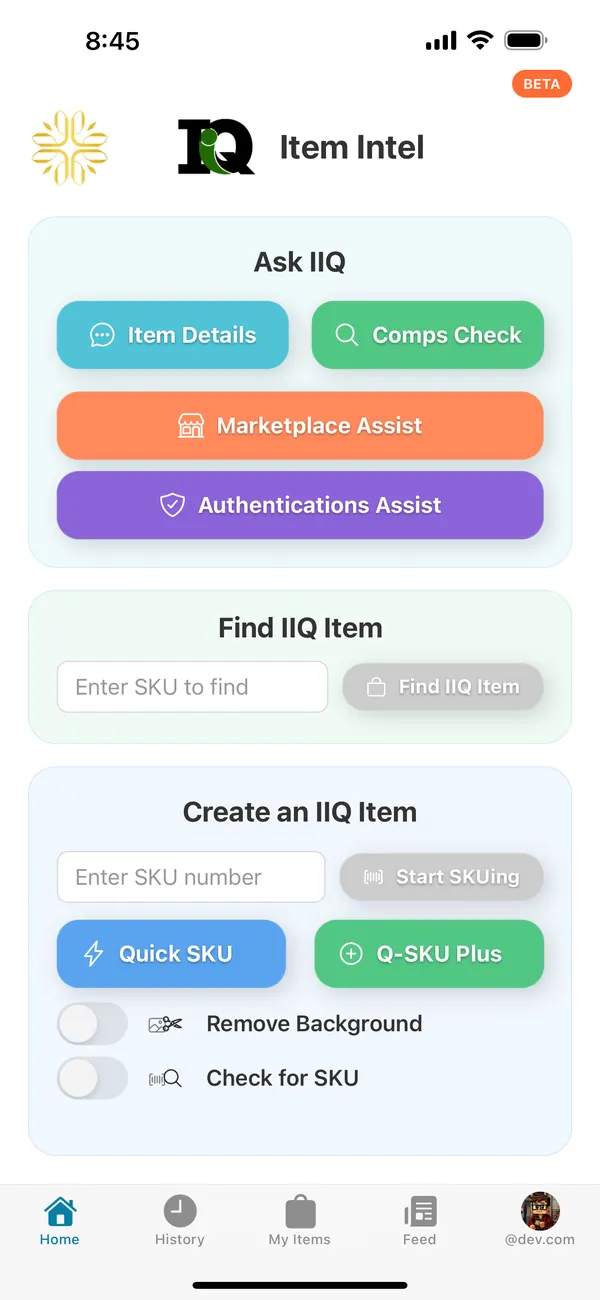
Search the catalog by SKU or title on the web. In the app, scan a barcode (UPC, EAN, Code 39 or Code 128), have the camera read a printed SKU, or type a SKU or title and tap Find Item.
Sold and shipped status
Mark an item sold or shipped on its record, so it stops looking available. Exports can include Sold Out, Sold At and Shipped columns.
For teams and warehouses
These features work inside an ItemIQ organization, where everyone shares one catalog:
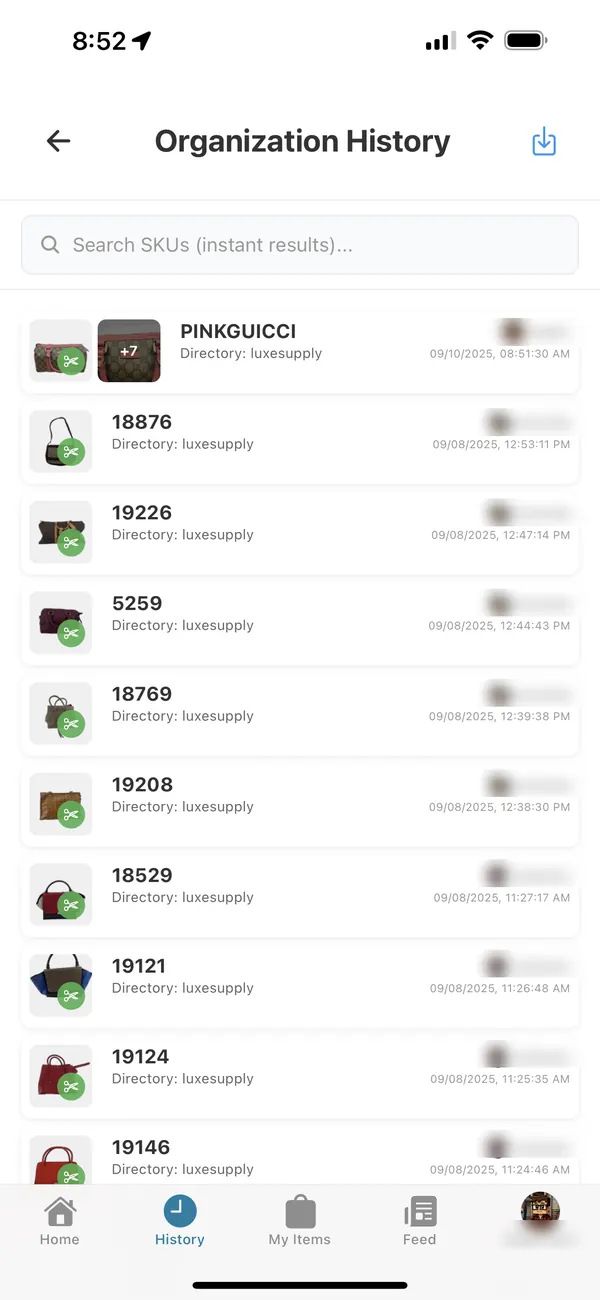
Organization History
A shared, searchable list of every item the team has added, with who added it and when. Search by SKU and get results as you type.
SKU Location
Sites, zones, locations, racks and bins, with each item’s placement recorded. Moving an item updates where it is without changing its SKU.
Location labels
Print Code 128 barcode labels for locations, racks and bins on 2.6 × 1 in (Avery 5160), 4 × 2 in or 4 × 3 in sheets, or create a numbered run of new codes. These are shelf and bin labels, not item price tags.
Warehouse audit
Scan a shelf and each item gets an instruction: leave it, or pull it to Needs cost, Needs photos, Unknown SKU or Sold.
Example: an unlabeled bag on the packing table
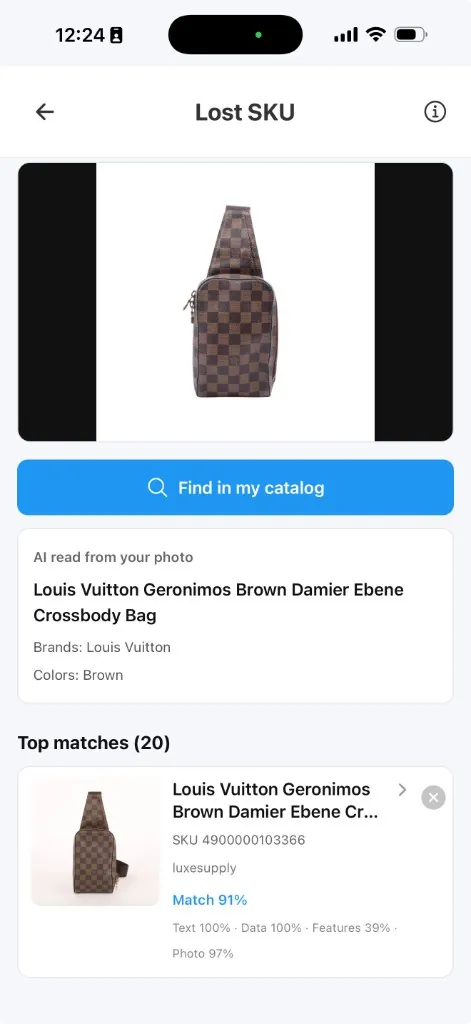
A brown Damier crossbody bag turns up without its SKU label. Here is how a teammate identifies it and checks the record before putting it back. The screens below are real; the scenario is a typical case rather than a recorded one.
- Photograph it in Lost SKU. On the web (with a webcam) or in the app, take a photo and choose Find in my catalog. ItemIQ reads the photo — here, “Louis Vuitton Geronimos Brown Damier Ebene Crossbody Bag”, brand Louis Vuitton, color brown.
- Compare the candidates. The top match is SKU 4900000103366 at 91%, with the breakdown shown: text 100%, data 100%, features 39%, photo 97%. A high score is a candidate, not proof.
- Open the record and check it against the bag. Compare the record’s photos with distinguishing details on the bag itself: wear, interior, hardware, any date code. Then check the record’s location and sold status. If it’s marked sold, stop and check the order before doing anything else.
- Relabel and put it away. Put a new SKU label on the bag, return the bag to its recorded bin or update the placement, and note what happened. If nothing matches convincingly, keep it in a review area instead of giving it a new SKU.
Questions about switching
Can I bring in the inventory I already have?
Yes. ItemIQ supports CSV import and bulk import from Google Drive photo folders, and long imports run as background jobs. Start with a small batch and check the records before moving the whole catalog.
Do I have to use ItemIQ’s SKU format?
No. Use the IDs already on your labels, as long as each one identifies a single item. The SKU setup guide has a worked example.
Does it track quantities of identical stock?
Records have a quantity field, but ItemIQ is built around individually photographed, one-of-one items. If most of your stock is identical units, check whether item-level records suit your workflow.
Will it update my marketplaces when something sells?
Not in general. Mark items sold in ItemIQ, and use export files or a connected Shopify or eBay account for listings. Check each channel; don’t assume they update each other.
How is this different from the inventory management guide?
The guide explains a process — one record per item, a simple lifecycle and a ten-item audit — that works with any tool. This page covers what ItemIQ does to support that process.